Zoom-in: Virtual Memory
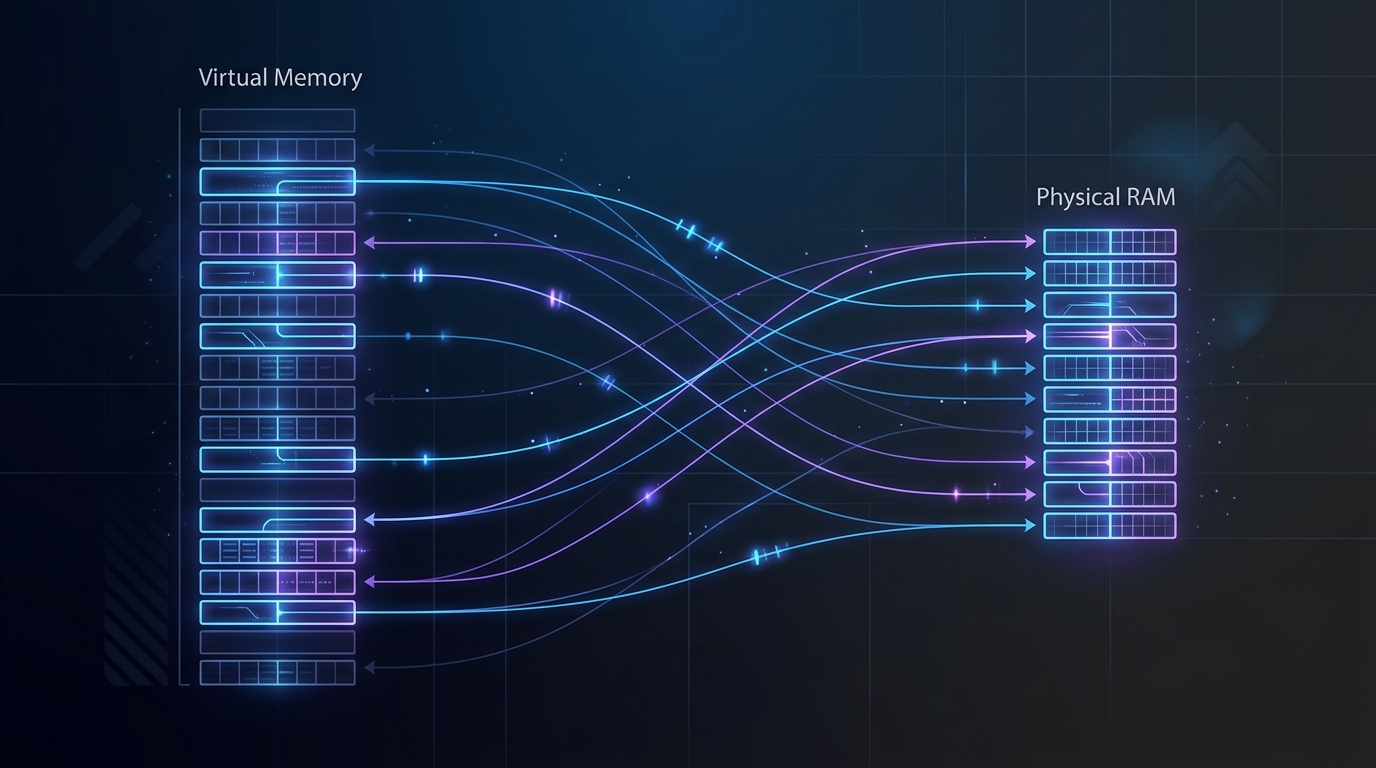
You run multiple memory-heavy applications at once, and each application behaves as if it has exclusive access to the entire physical RAM of your system.
graph TD
    App1["💻 App 1 (Chrome)"] -->|"Read address 0x7FFF"| VM["🧠 Physical RAM"]
    App2["💻 App 2 (VS Code)"] -->|"Write address 0x7FFF"| VM
    style App1 fill:#1e3a5f,stroke:#3b82f6,color:#93c5fd
    style App2 fill:#1e3a5f,stroke:#3b82f6,color:#93c5fd
    style VM fill:#1a3a2a,stroke:#22c55e,color:#86efac
Let's zoom in on how this works.
Layer 1 — Logical vs. Physical Address: The Separation of Address Spaces
If applications wrote directly to physical RAM addresses, a single bug in one program could corrupt the memory of another application or crash the entire operating system.
The operating system prevents this by introducing a layer of abstraction called a logical (or virtual) address.
graph LR
    App["💻 Application"] -->|"Virtual Address: 0x4000"| MMU["🧠 MMU (Hardware)"]
    MMU -->|"Map to Physical Address: 0x1A20"| RAM["📋 Physical RAM"]
    style App fill:#1e3a5f,stroke:#3b82f6,color:#93c5fd
    style MMU fill:#3b2a1a,stroke:#f59e0b,color:#fcd34d
    style RAM fill:#1a3a2a,stroke:#22c55e,color:#86efac
An application only sees its own virtual address space. When it executes a memory read or write instruction, the CPU's hardware MMU (Memory Management Unit) translates that virtual address into a physical location on the RAM module. Because every application has a distinct translation map, they cannot access or tamper with each other's memory.
Layer 2 — Paging: Chunking Memory Into 4KB Pages
Instead of mapping memory byte-by-byte, the operating system groups memory into fixed-size blocks. These blocks are called Pages in the virtual address space and Frames in the physical memory. The standard page size is 4KB.
graph TD
    subgraph Virtual Address Space (App)
        P1["Page 1"]
        P2["Page 2"]
        P3["Page 3"]
    end
    subgraph Page Table (Mapping)
        PT["Map Page -> Frame"]
    end
    subgraph Physical RAM
        F2["Frame 2 (Stores Page 1)"]
        F5["Frame 5 (Stores Page 2)"]
        F1["Frame 1 (Stores Page 3)"]
    end

    P1 --> PT --> F2
    P2 --> PT --> F5
    P3 --> PT --> F1

    style P1 fill:#1e3a5f,stroke:#3b82f6,color:#93c5fd
    style P2 fill:#1e3a5f,stroke:#3b82f6,color:#93c5fd
    style P3 fill:#1e3a5f,stroke:#3b82f6,color:#93c5fd
    style PT fill:#3b2a1a,stroke:#f59e0b,color:#fcd34d
    style F2 fill:#1a3a2a,stroke:#22c55e,color:#86efac
    style F5 fill:#1a3a2a,stroke:#22c55e,color:#86efac
    style F1 fill:#1a3a2a,stroke:#22c55e,color:#86efac
This mapping directory is called a Page Table. Paging allows the operating system to distribute an application's pages across non-contiguous frames in physical RAM. This removes the problem of external memory fragmentation.
Layer 3 — Page Fault & Swap: Breaking the Physical RAM Boundary
Virtual Memory allows the operating system to use secondary storage (SSDs or HDDs) as an extension of physical RAM through a mechanism called Swap.
sequenceDiagram
    participant App as 💻 Application
    participant CPU as 🧠 CPU / MMU
    participant OS as 🖥️ Operating System (Kernel)
    participant Disk as 💾 Storage (Swap)
    participant RAM as 📋 Physical RAM

    App->>CPU: 1. Read data at Page 4
    CPU-->>CPU: 2. Check Page Table: Present Bit = 0 (Not in RAM)
    Note over CPU: Trigger Page Fault Exception!
    CPU->>OS: 3. Alert OS of Page Fault
    OS->>Disk: 4. Read Page 4 data from Swap file
    Disk-->>OS: 5. Return data
    OS->>RAM: 6. Write data to a free Frame in RAM
    OS-->>CPU: 7. Update Page Table (Present Bit = 1)
    CPU-->>App: 8. Resume instruction successfully
When an application requests data from a virtual page that is not currently loaded in physical RAM, the CPU detects that the Present bit in the Page Table is zero. This triggers a hardware interrupt called a Page Fault.
The operating system kernel suspends the application, locates a free frame in physical RAM (if RAM is full, it swaps an inactive page from RAM to the SSD), loads the requested page data from the swap file into RAM, updates the Page Table, and instructs the CPU to resume the application's memory instruction.
Full picture
graph TD
    subgraph Virtual Address Space
        V1["Page 1 (Active)"]
        V2["Page 2 (Active)"]
        V3["Page 3 (Idle)"]
        V4["Page 4 (Active)"]
    end

    subgraph Memory Translation & Management
        PT["Page Table\n(Translate & Manage state)"]
        MMU["CPU MMU\n(Check Present Bit)"]
    end

    subgraph Physical RAM
        R1["Frame A (Stores Page 1)"]
        R2["Frame B (Stores Page 2)"]
        R3["Frame C (Stores Page 4)"]
    end

    subgraph Storage (Disk Swap Space)
        S1["Swap block (Stores Page 3)"]
    end

    V1 --> PT
    V2 --> PT
    V3 --> PT
    V4 --> PT

    PT --> MMU
    MMU -->|"Present = 1"| R1
    MMU -->|"Present = 1"| R2
    MMU -->|"Present = 1"| R3
    MMU -->|"Present = 0 (Page Fault)"| S1

    style V1 fill:#1e3a5f,stroke:#3b82f6,color:#93c5fd
    style V2 fill:#1e3a5f,stroke:#3b82f6,color:#93c5fd
    style V3 fill:#1e293b,stroke:#334155,color:#94a3b8
    style V4 fill:#1e3a5f,stroke:#3b82f6,color:#93c5fd
    style PT fill:#3b2a1a,stroke:#f59e0b,color:#fcd34d
    style MMU fill:#3b2a1a,stroke:#f59e0b,color:#fcd34d
    style R1 fill:#1a3a2a,stroke:#22c55e,color:#86efac
    style R2 fill:#1a3a2a,stroke:#22c55e,color:#86efac
    style R3 fill:#1a3a2a,stroke:#22c55e,color:#86efac
    style S1 fill:#1e293b,stroke:#475569,color:#cbd5e1
Takeaway
Virtual memory is the cornerstone of modern multi-tasking operating systems. It is not just a fallback buffer for physical memory shortages; it acts as a security wall that isolates memory space between different running processes. When you enforce memory limits on containers via tools like Docker or Kubernetes using cgroups, you are setting page allocation ceilings managed by the operating system kernel.
This post was assisted by Amy 🌸 - AI Assistant. Content has been reviewed by the author.
Related Posts
Zoom-in: Git Worktree
git worktree — Git's hidden superpower for multitasking. Understand how Git coordinates flat .git text files, worktree metadata, and commondir to support parallel branches without cloning.
Zoom-in: Rate Limiter
You send too many API requests, and the system responds with '429 Too Many Requests'. How does the Rate Limiter gatekeeper protect system resources?
Zoom-in: WebSocket
Your chat app updates instantly without reloading the page. How WebSocket breaks free from the one-way limits of HTTP.